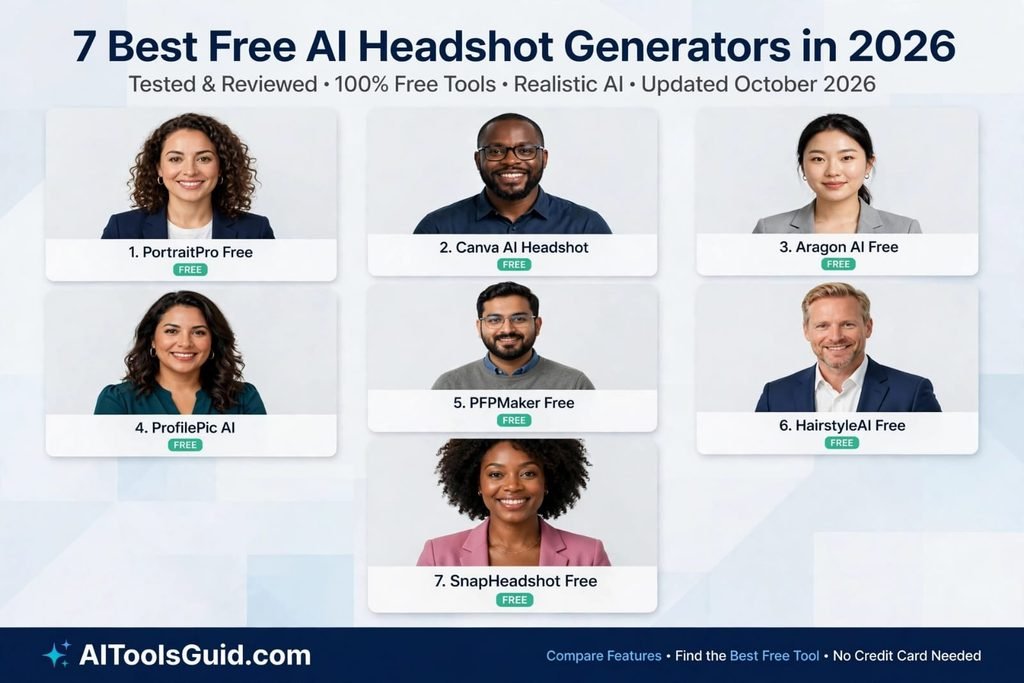
In this post we will learn about 7 Best Free AI Headshot Generators in 2026. I needed a new LinkedIn photo recently, but I really did not want to spend money on a photographer. My old profile picture was taken on my phone years ago, and honestly, it looked like it. The lighting was bad, the background was messy, and I was wearing a T shirt.
So I decided to test free AI headshot generators for AIToolsGuid.com. I wanted something simple. did not want to enter my card details. and also did not want a giant watermark across my face.
I tried different tools with the same idea in mind. looked at how easy they were to use, how natural the face looked, how good the lighting was, and whether I could actually get the image for free.
The biggest surprise for me was how much the results have improved in 2026. Some tools now create surprisingly realistic professional photos from just one selfie.
I also noticed something important. Not every tool that says free is actually useful for free users. Some give you a preview, some limit the number of images, and some make you sign up before you can download anything.
So here are the seven free AI headshot generators I would try first.
1. Magic Hour:
Magic Hour was one of the easiest tools I tried. I liked that I could start with one clear photo instead of collecting a whole folder of selfies. The tool currently offers three free headshots per day, with no signup required and no watermark on the results.
What I Liked: The process is very simple. Upload one photo, choose a professional style, and generate the headshot.
What I Liked: I also liked the number of professional styles available, including LinkedIn, executive, corporate, resume, teacher, doctor, and several others.
What I Did Not Like: The result can change quite a bit depending on the quality and lighting of your original selfie.
Price: Free
My Rating: 4.8 out of 5
If you are looking for an ai headshot generator no signup, this is one of the first ones I would try. You do not have to create an account just to test it.
I also liked the fact that the tool explains that your source photo matters. A clear face, good lighting, and a front facing photo usually give better results. That sounds obvious, but it makes a real difference.
For someone who needs a LinkedIn photo quickly, Magic Hour is a very easy starting point.
2. Free AI:
Free AI is another interesting option because it is built around a simple idea. Upload one photo and create several professional headshot variations.
The tool says it can create four to eight professional variations with different clothing, backgrounds, and lighting. It also says there is no signup and no watermark.
What I Liked: I liked the fact that one photo can produce several different professional looks.
I Liked: The available styles include corporate, LinkedIn, casual, creative, author, speaker, executive, and CEO looks.
What I Did Not Like: The number of choices can feel a little confusing if you just want one simple business photo.
Price: Free
My Rating: 4.7 out of 5
I would use this one when I want to compare several looks before choosing my final picture. Sometimes the first AI headshot looks okay, but the second or third version looks much more like you.
Another thing I liked is that the tool says uploaded photos are deleted after processing. That is something I always look for when using AI photo tools because your face is personal information.
If you are searching for a free ai headshot generator that does not make you create an account first, this is worth trying.
3. Upsampler:
Upsampler took a slightly different approach from some of the other tools I tested. Instead of trying to completely recreate your face, it focuses on restaging your existing photo.
You upload a selfie, choose clothing and a background, and the AI changes the overall presentation while keeping your face and identity. The tool says there is no account requirement and no watermark.
What I Liked: I liked how closely the result stays connected to the original photo.
I Liked: The clothing and background options make it useful when you already have a decent selfie but want it to look more professional.
What I Did Not Like: The final image can feel more like an improved photo than a completely new professional photoshoot.
Price: Free
My Rating: 4.6 out of 5
This is actually a good thing for people who are worried about AI changing their face too much.
I have tried AI portrait tools where the final person technically looks like me, but something feels wrong. The eyes can change. The jaw can look different. Sometimes the smile is not really mine.
Upsampler takes a more conservative approach. According to its current tool information, it uses your existing photo and changes the clothing, background, and lighting around your face.
I would choose this option if you want a natural looking profile picture rather than something that looks heavily generated.
4. Lessie AI:
Lessie AI was one of the tools that surprised me because the whole process is very straightforward.
It offers six professional styles, including Corporate, Creative, Tech, Warm, Executive, and Academic. It also allows a custom prompt if you want more control over the result.
What I Liked: I liked the six ready made styles because they make choosing a professional look very easy.
I Liked: The result can be downloaded without a watermark, and the tool says no signup or credit card is required.
What I Did Not Like: The style selection is smaller than some of the larger AI image platforms.
Price: Free
My Rating: 4.7 out of 5
The Corporate style would be my choice for LinkedIn or a company website. The Creative style makes more sense for designers, writers, photographers, and other creative workers.
I also liked the Tech option. It has a cleaner and more modern feeling, which could work nicely for someone working in software or online business.
Lessie says its photos are processed in real time and are not stored on its servers. That is another useful point if you are concerned about uploading a personal photo.
If you want something that feels simple enough for a beginner, I think Lessie is worth a try.
5. GeniGPT:
GeniGPT is interesting because you only need one selfie. You do not have to upload ten or twenty photos and wait for a personal model to train.
The current tool says the first three generations are free, with no signup and no watermark.
What I Liked: One selfie is enough, which makes the whole process much faster.
I Liked: I liked the option to choose between studio, business, and outdoor headshot styles.
What I Did Not Like: The three free generations are a lifetime allowance rather than a daily allowance.
Price: Free
My Rating: 4.6 out of 5
This one is especially useful if you only need a headshot right now.
You know that feeling when you need a new profile picture today but do not want to spend hours learning another website? That is where GeniGPT makes sense.
I also liked that the tool gives you the option to describe the look you want. For example, you can ask for a professional business headshot with soft lighting and a simple background.
The company says the free images have no watermark and can be downloaded without creating an account.
Just remember that the free allowance is limited. So I would use your three generations carefully and compare the results before choosing one.
6. AIDoImg:
AIDoImg is probably one of the more interesting choices if you want something that is completely free according to its current page.
The tool currently describes itself as 100% free, with no watermark, no signup, and unlimited use. It lets you upload a selfie and choose different scenes such as professional, business, studio, academic, technology, and school.
What I Liked: I liked the large selection of scenes because you can create different types of professional photos.
I Liked: There is no signup requirement, watermark, or stated usage limit on the free tool.
What I Did Not Like: Some of the scene options can produce a more obviously AI styled result depending on your source photo.
Price: Free
My Rating: 4.8 out of 5
This is the tool I would test if you need more than one headshot.
For example, you could create one simple business photo for LinkedIn, another with a clean studio background for your website, and another with a technology office background.
The tool also lets you select different output sizes. That can be useful because a LinkedIn profile photo does not need the same dimensions as a larger website image.
AIDoImg says the uploaded image is processed securely and deleted after processing.
For people who are specifically searching for a free ai headshot generator without a signup wall, this one is definitely worth putting on your list.
7. Ima Studio:
Ima Studio is another tool I found interesting during my testing. Its current page describes its AI headshot generator as unlimited, realistic, professional, without a watermark, and without requiring signup.
What I Liked: I liked the simple process of uploading a selfie and choosing a professional style.
I Liked: The tool says you can create unlimited headshots without creating an account.
What I Did Not Like: The result can depend heavily on the prompt and source image, so you may need a few attempts.
Price: Free
My Rating: 4.5 out of 5
I would recommend this one to people who like having more creative control.
Instead of only selecting a preset, you can describe the kind of headshot you want. You could ask for a clean corporate portrait, soft studio lighting, a neutral background, and a natural smile.
That gives you more control than a basic one click generator.
I also like the fact that the tool says it does not store your photos or prompts.
For a beginner, I would keep the prompt simple. You do not need to write a huge paragraph. Something like professional LinkedIn headshot, soft studio lighting, neutral background, natural skin, dark blazer is enough to get started.
What Makes a Good AI Headshot?
After testing these tools, I noticed that the original photo matters almost as much as the AI tool.
Do not upload a blurry selfie and expect a perfect result.
Use a photo where your face is clearly visible. Natural light is usually better than a dark room. Try to face the camera directly. Avoid sunglasses, extreme angles, and photos where other people are standing next to you.
Your expression matters too.
For LinkedIn, I would use a relaxed expression and a simple background. You do not need to look extremely serious. A small natural smile can make the photo feel much more friendly.
I also recommend checking the eyes carefully.
This is one of the easiest ways to notice a bad AI headshot. Sometimes the face looks great at first glance, but the eyes look slightly strange when you zoom in.
Look at the teeth too.
AI can sometimes create extra teeth, strange shapes, or an unnatural smile. Hair can also be a problem, especially around the ears and forehead.
Before you upload the final photo to LinkedIn or your website, zoom in and check these small details.
Are Free AI Headshot Generators Really Free?
Some are, but you should always check the current free limits.
That is one reason I tested the tools around the actual free experience instead of simply looking at their marketing pages.
Magic Hour currently gives three free headshots per day without signup and without a watermark.
GeniGPT gives three free generations, but the allowance is lifetime rather than daily.
AIDoImg currently advertises unlimited free use without signup or watermarks.
Free AI says it offers four to eight headshot variations from one photo without signup or a watermark.
This is why I would not blindly trust the word free. Check what you can actually download before spending time uploading your photos.
Which Tool Should You Try First?
If you only need one professional photo, I would start with Magic Hour or GeniGPT.
If you want more variations, Free AI is interesting.
you want to keep your face very close to your original photo, I would try Upsampler.
If you want professional preset styles, Lessie AI is easy to understand.
When you want unlimited free use, AIDoImg and Ima Studio are worth testing based on their current claims.
And if you want a simple tool with clothing and background controls, Upsampler is a good option.
One more thing I would never do is use an AI headshot for an official identity document unless the relevant authority specifically allows it. A professional profile photo is one thing. An official ID photo has different rules.
Frequently Asked Questions
What is the best free AI headshot generator?
For my free testing, Magic Hour is my top choice for most people because it gives three free headshots per day, does not require signup, and does not put a watermark on the result.
However, your result can depend on your selfie, so I would still test two or three tools before choosing your final picture.
Is there an AI headshot generator no signup?
Yes. Several tools currently allow you to create headshots without an account. Magic Hour, Free AI, Upsampler, Lessie AI, GeniGPT, and AIDoImg all currently advertise no signup for their free headshot tools.
That is useful if you only need one image and do not want another account sitting in your email.
Can I use a free AI headshot on LinkedIn?
Yes, you can use an AI generated headshot for a LinkedIn profile if it represents you accurately and you are comfortable with the way it looks.
I would avoid making the image too dramatic. A simple background, natural skin, normal clothing, and realistic lighting usually work better for a professional profile.
Also remember that AI photos can sometimes change small details of your face. Always check the final image carefully before publishing it.
Final Thought:
After trying these free AI headshot options, I was honestly surprised by how good the results can be when you start with a decent selfie.
My top pick for free users is Magic Hour. I like the combination of three free generations per day, no signup, and no watermark.
But I would not stop there. Upload the same selfie to two or three tools and compare the faces. Sometimes one AI model understands your face much better than another.
That is the biggest lesson from my test. You do not need an expensive camera or a professional studio to get a decent profile picture anymore. With the right free ai headshot generator, a simple phone selfie can be turned into something that looks much more professional.